The map of forgotten places.
Find abandoned places around you, check what the last explorers found there and share your urbex trips with the community.
Features
Everything to know before you go.
Forgotten castles, disused factories, sanatoriums, bunkers, ghost stations: every place has its page, kept up to date by the reports of the people who went there.
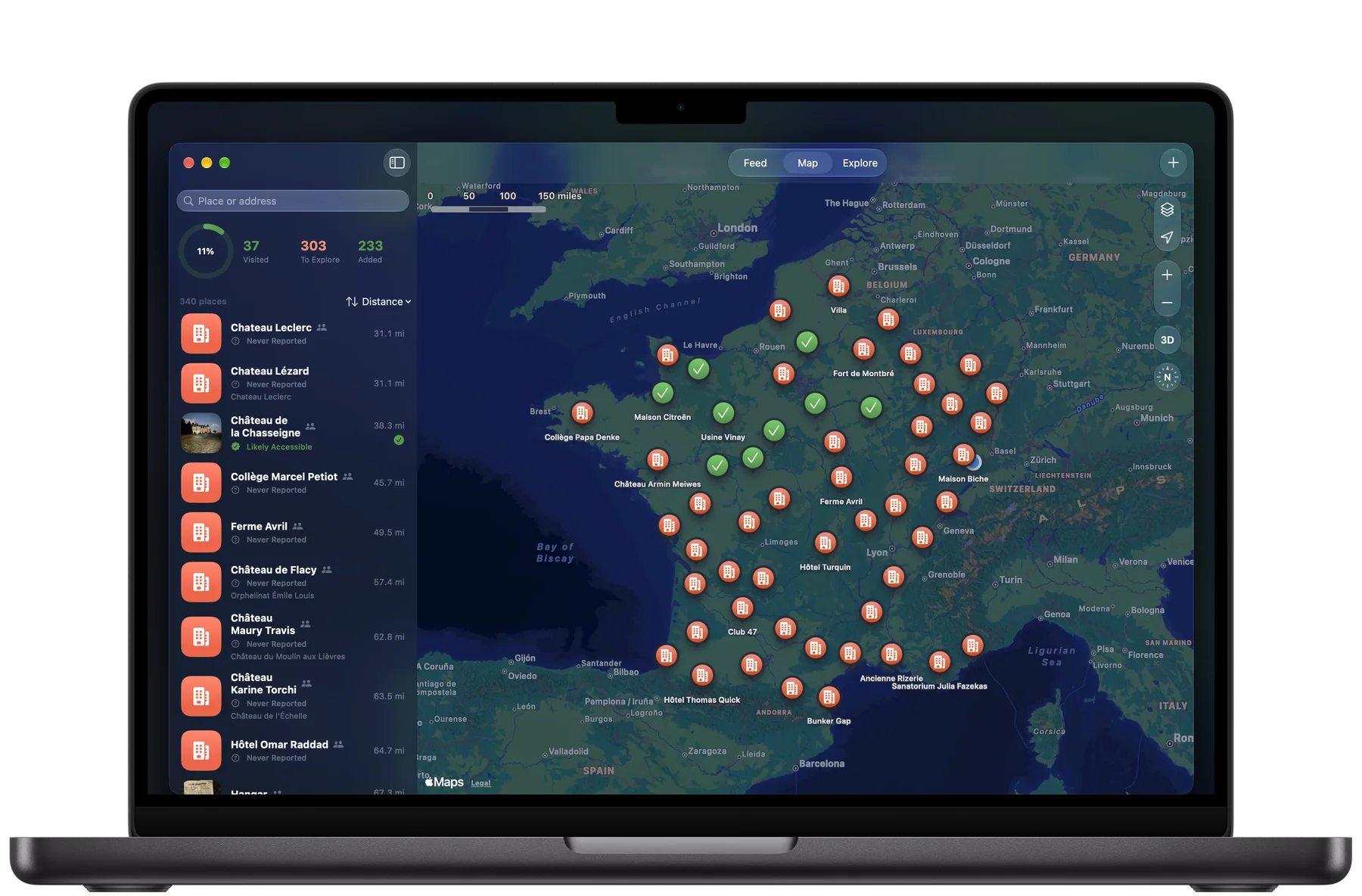
The urbex map
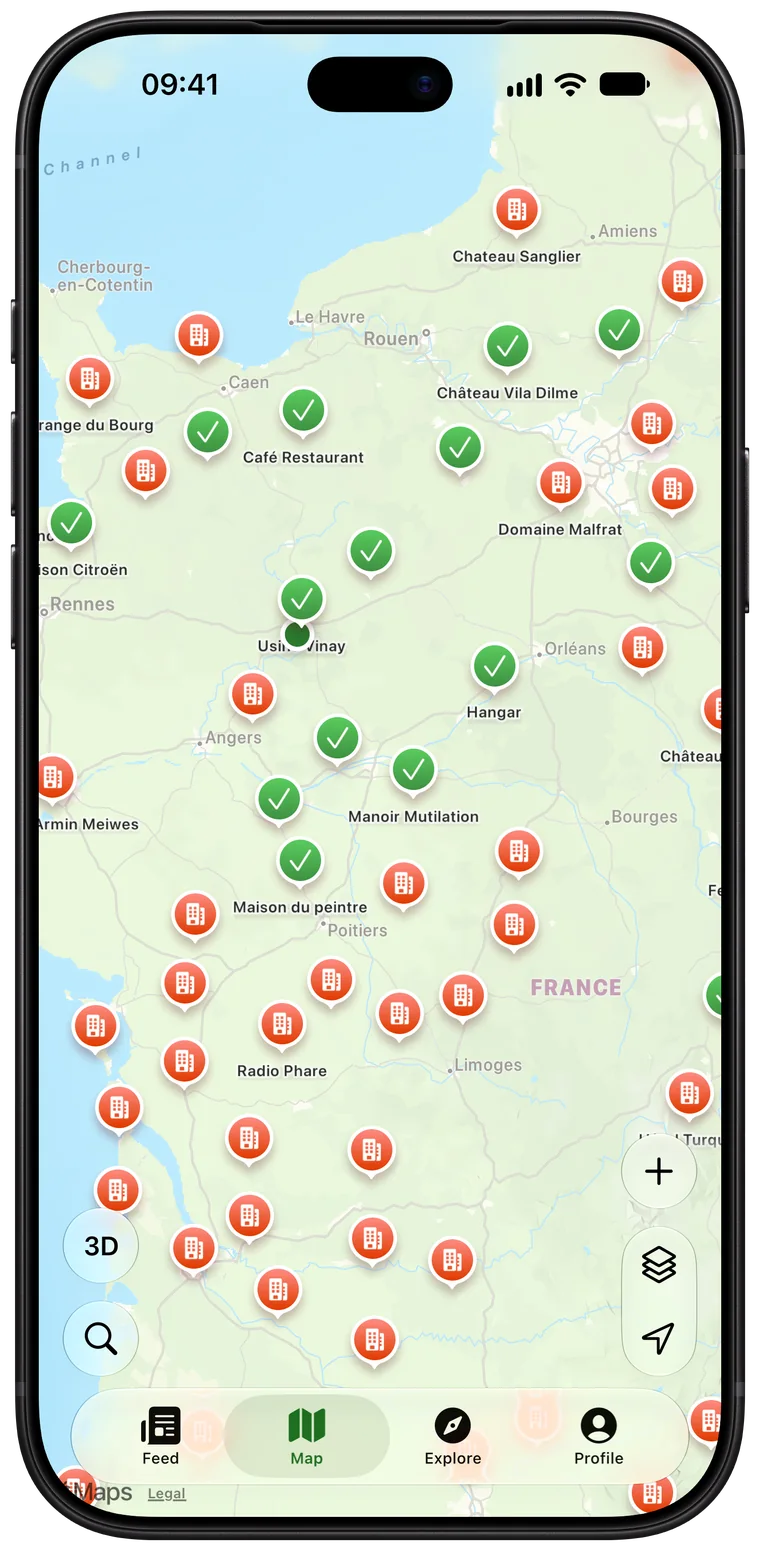
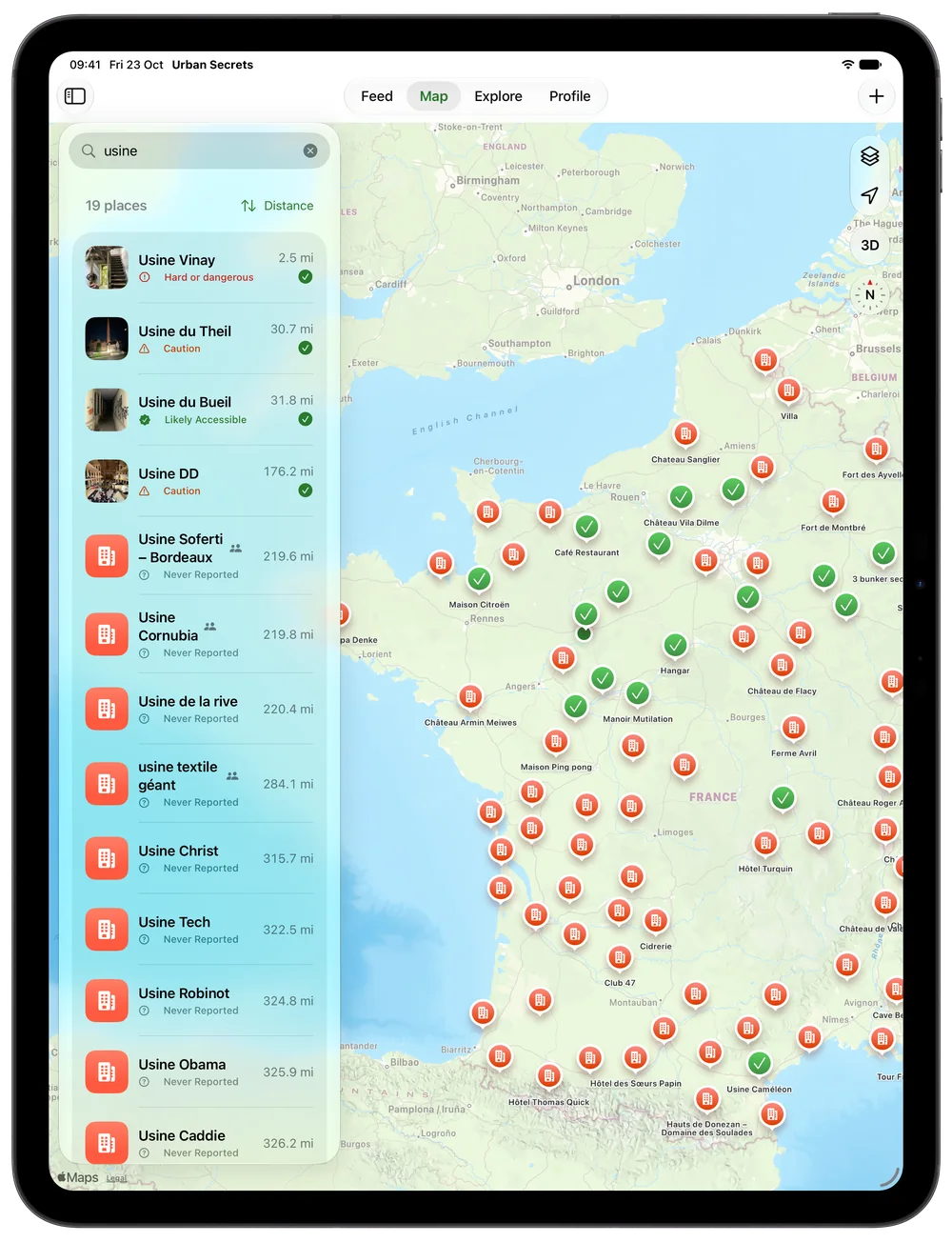
- Orange for places to explore, green for the ones you have visited, in standard, satellite or 3D.
- Filters by type of place, search by name or address, distance and directions.
- About ten spots near you to start with; every report made on site earns you a lead to unlock more.
- Add a place with one tap on the map and choose who sees it: everyone, your friends or only you.
Condition checked by the community
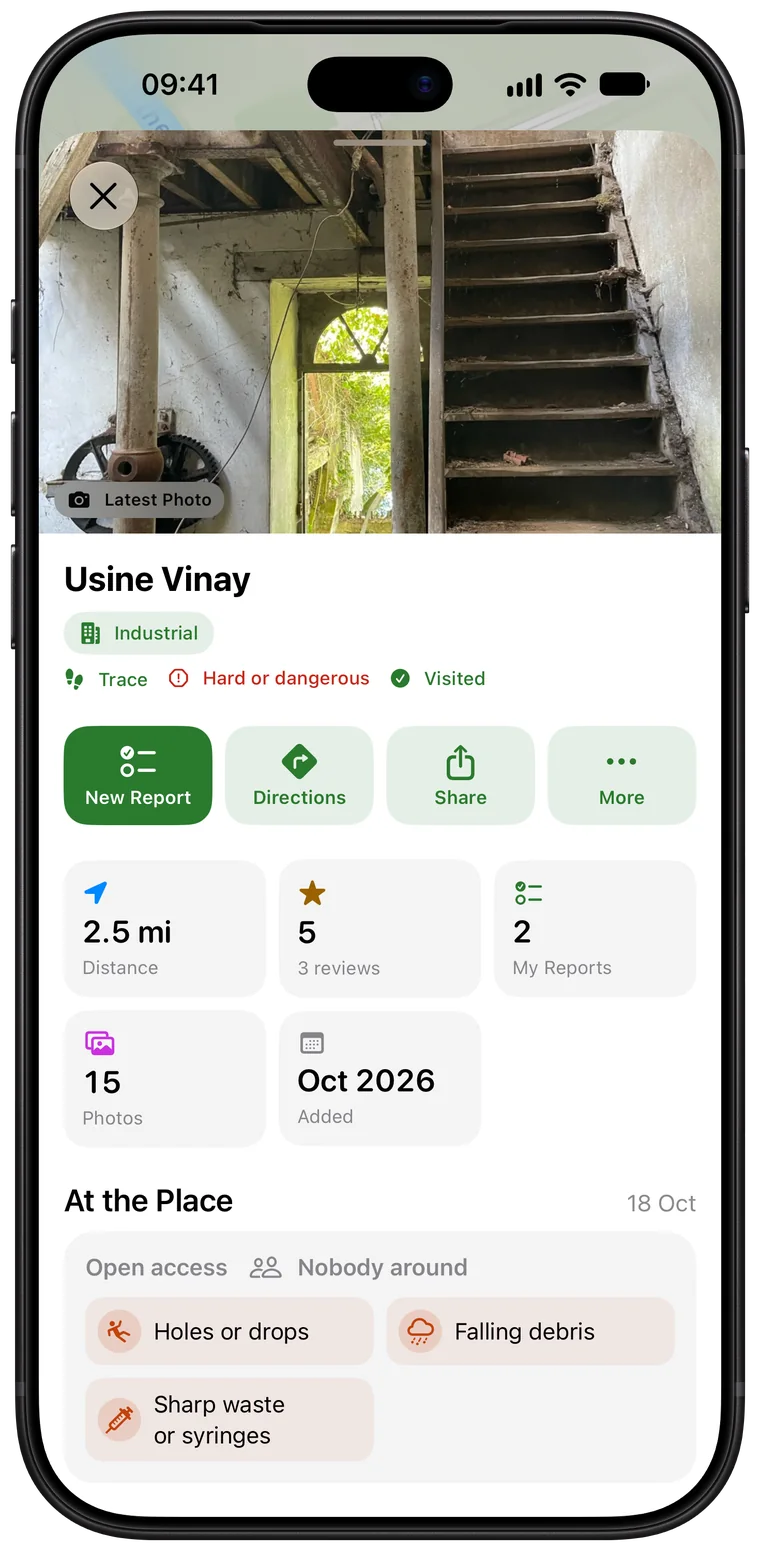
- Access, presence, risks: each place’s condition is worked out from explorers’ reports, and the most reliable count for more.
- A level that rises when independent explorers confirm the place, and when someone was last there.
- Earlier reports, with their ratings, comments, photos and videos.
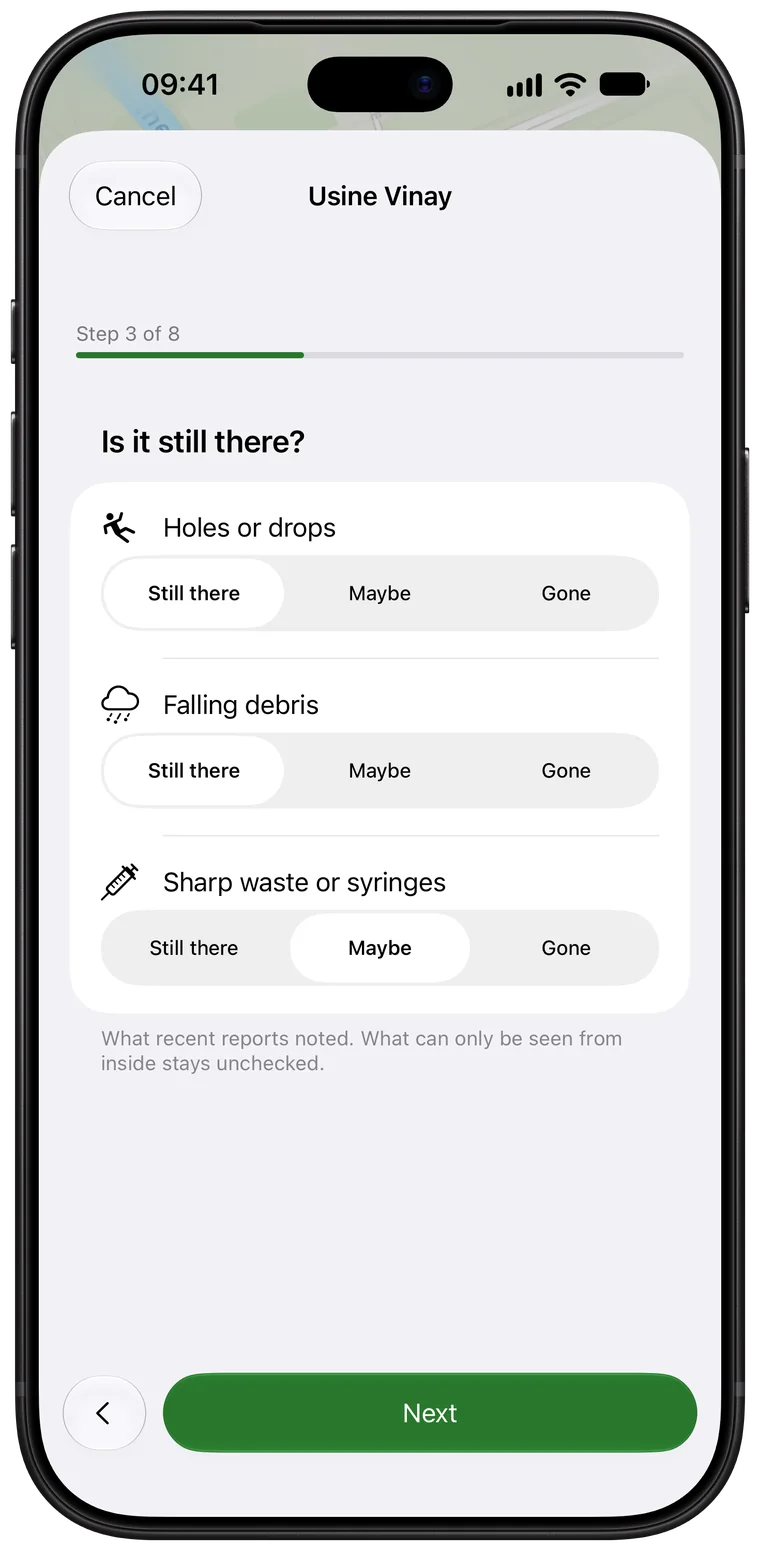
Your reports, in a few steps
- A short form, one question at a time: access, condition, risks, rating, photos.
- Photos, Live Photos, videos and spatial video, full screen.
- Published the next day, with the day only, under your name or without it; urgent warnings go out at once.
- A feed of the latest reports from the community and your friends.
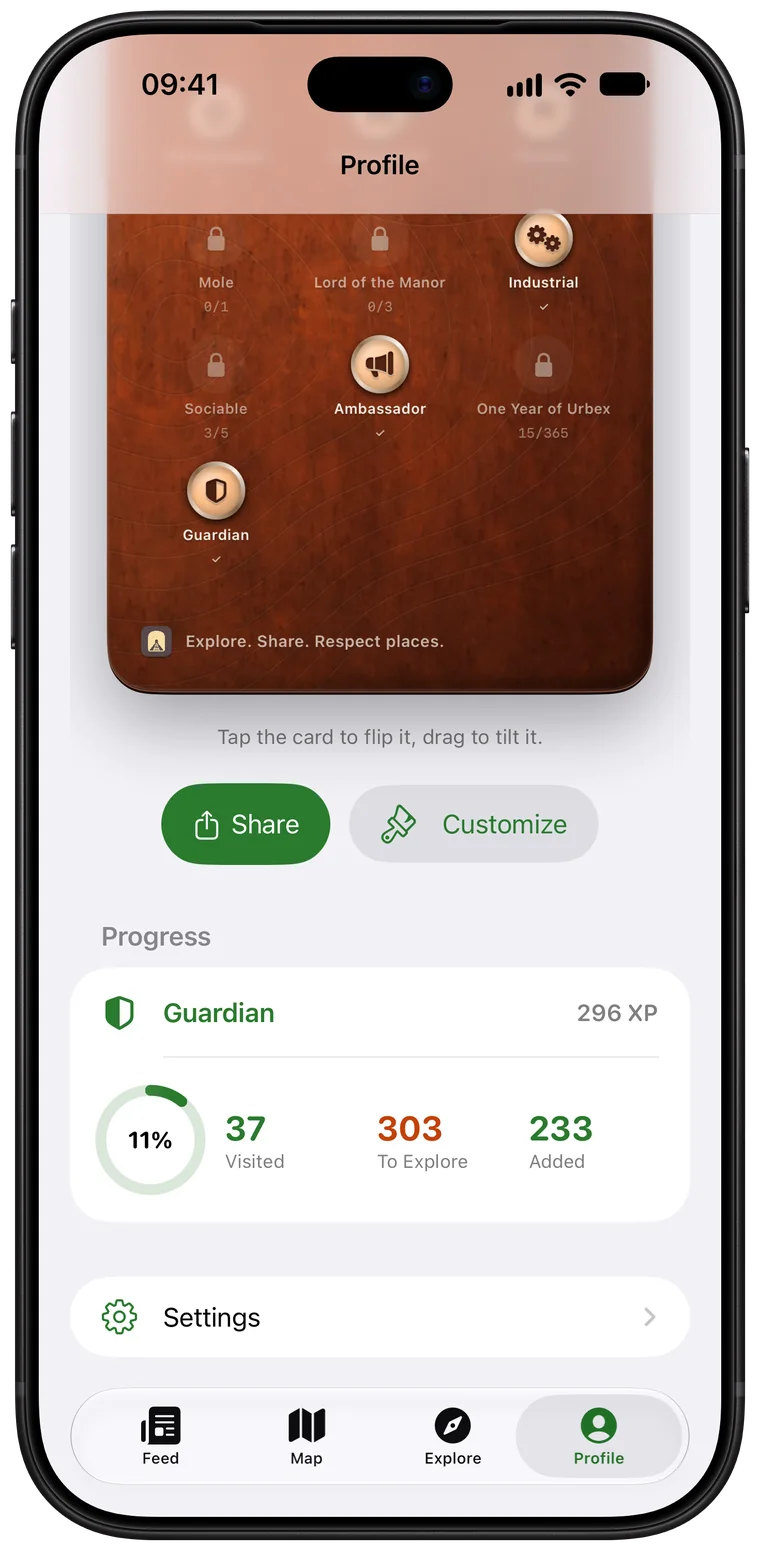
Level up, with your friends
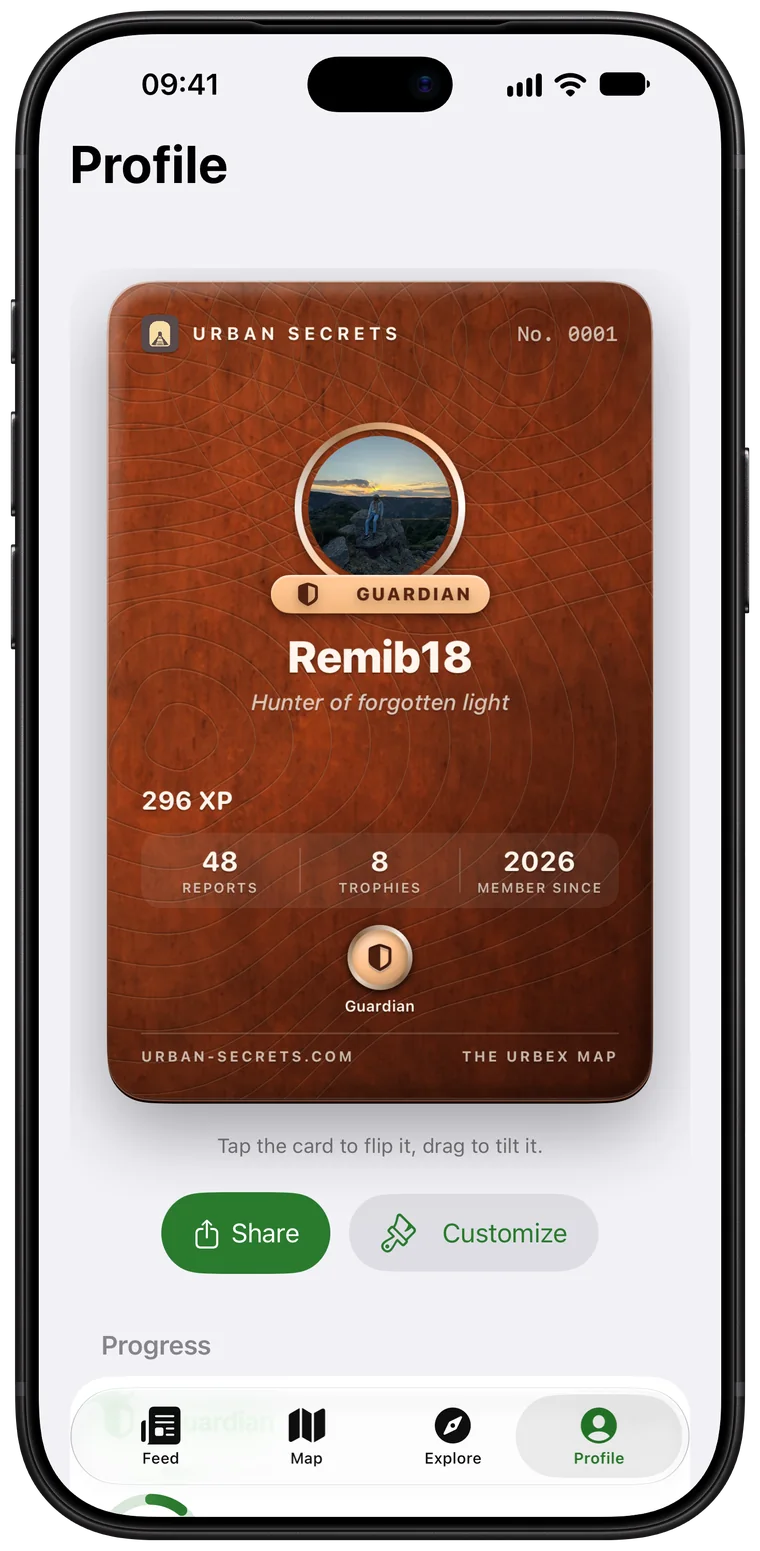
- XP and levels with every report, a reliability badge and trophies to earn.
- Your member card, to customise and share.
- Invite a friend with a link or a QR code, share places with friends only.
Explore mode
Out in the field, the app looks out for you.
Explore mode goes with you on every trip on iPhone and iPad, even with the screen locked, and you can run it from your Apple Watch too.
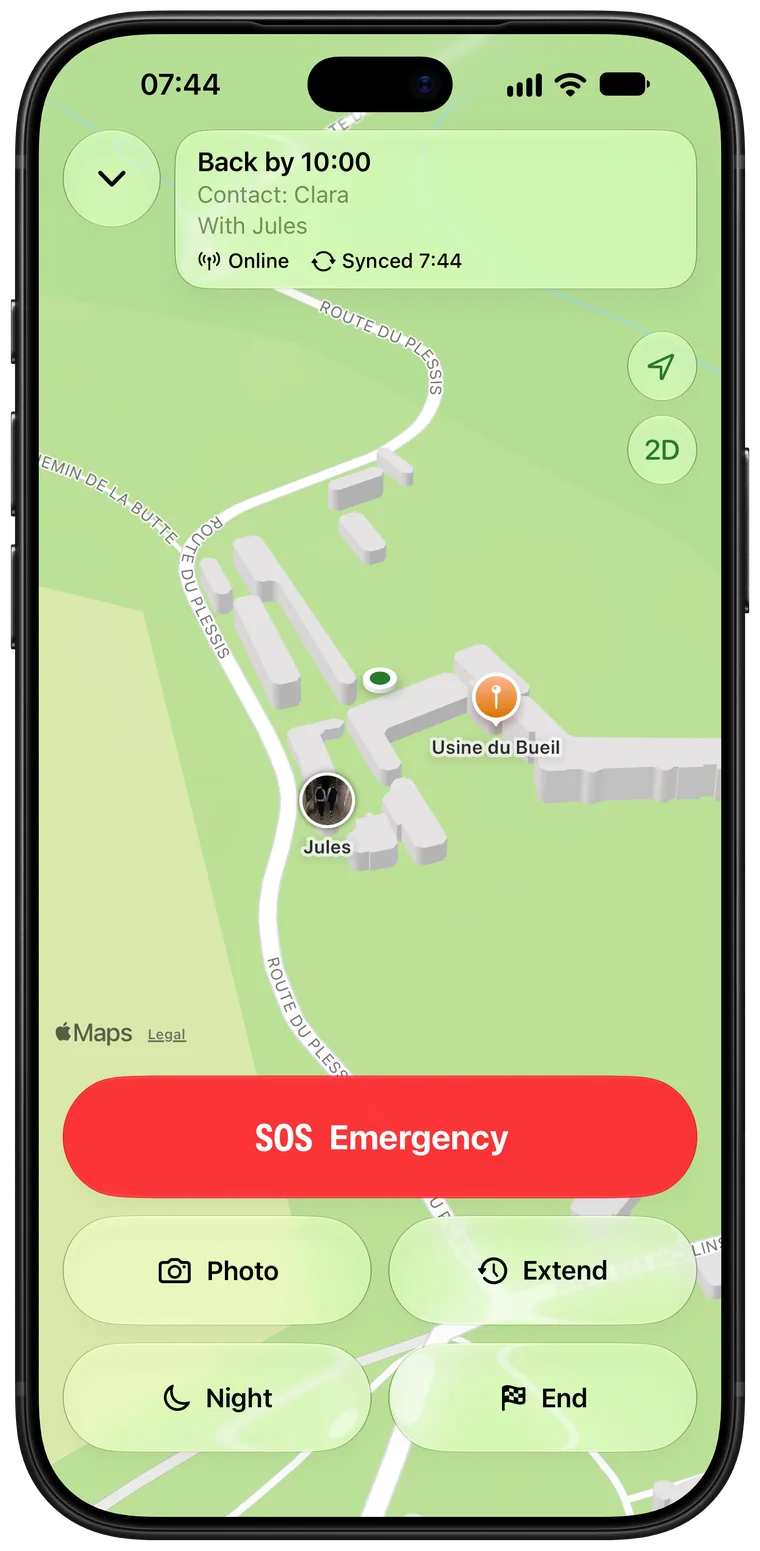
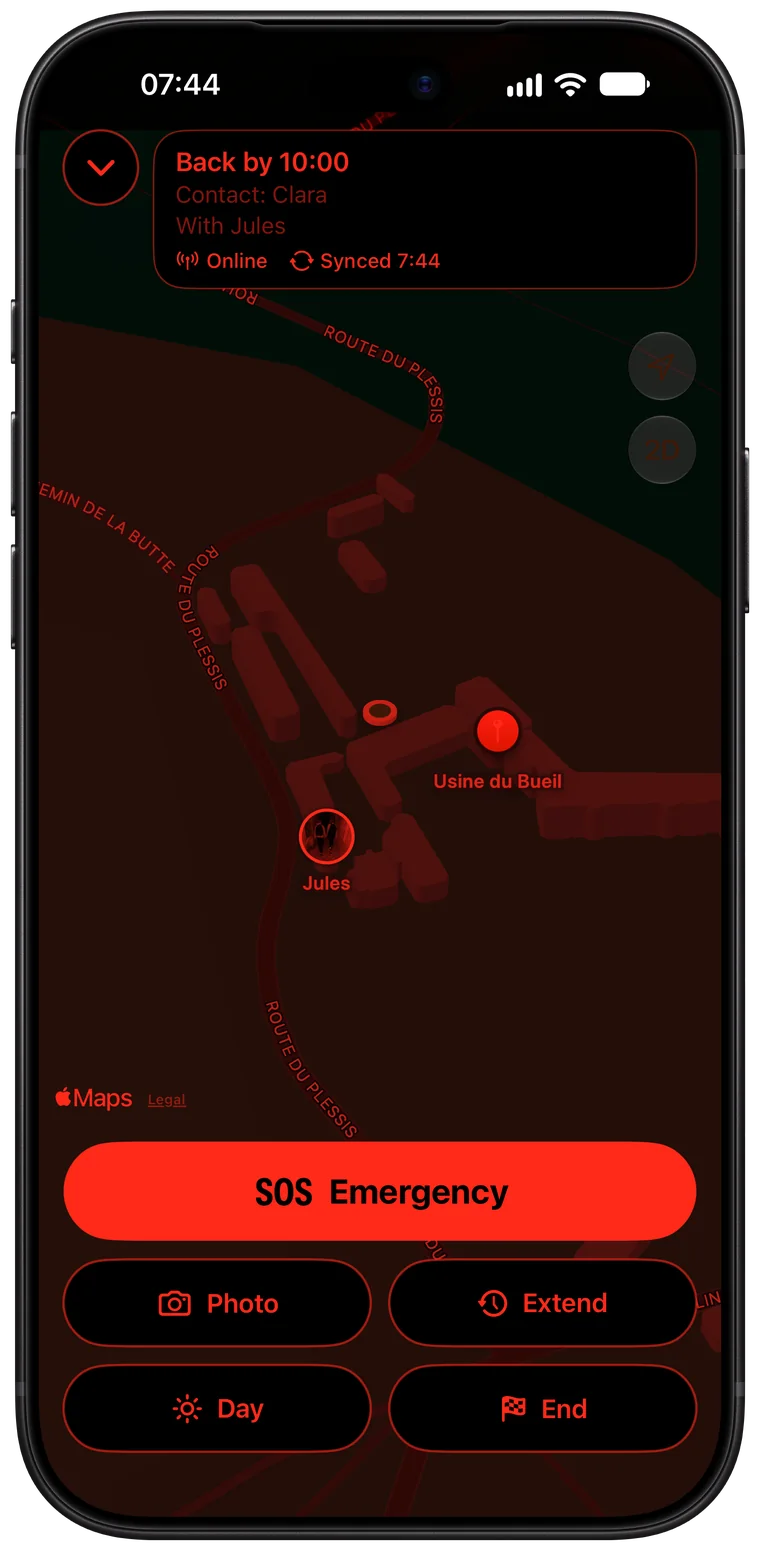
Return time
Set an expected return time and a safety contact: if you haven’t ended your exploration in time, they get an alert with the place and your last known position.
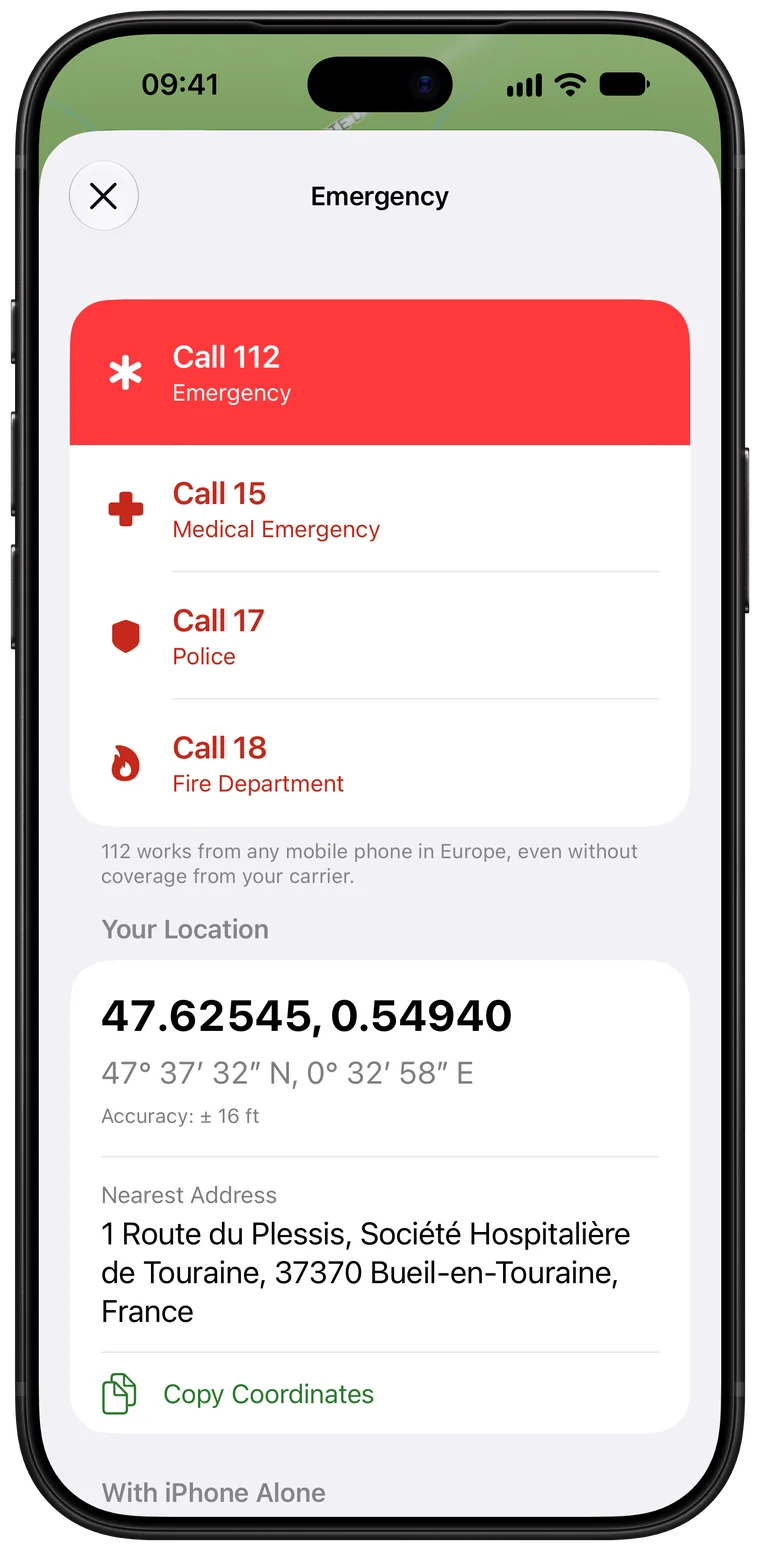
SOS
The emergency numbers for the country you’re in, with your coordinates in large type to read out.
3D map and night mode
The place in 3D, and a red display that keeps your night vision, and keeps you discreet.
Live Activity
Your return time and the countdown on the Lock Screen and in the Dynamic Island.
On Apple Watch
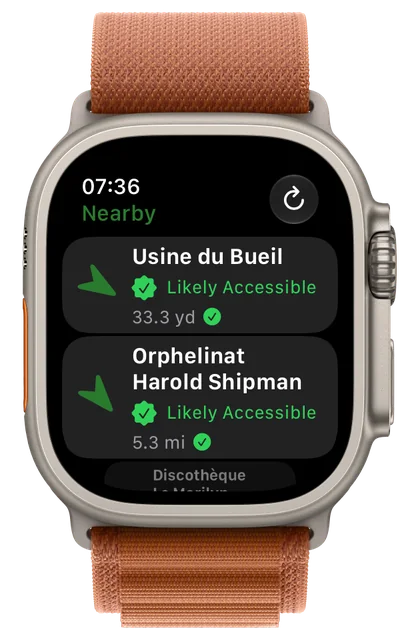
The countdown on your wrist, and buttons to extend, end or call for help without taking out your iPhone.
Together
Explore with friends and, if you choose to, see each other on the map for the whole trip.
Photo summary
Photos taken during the exploration are gathered in a summary, ready for your report.
Protected position
Outside an exploration, your position only serves your leads and the places around you, reduced to a square of about 5 km. During an exploration, it is sent so that your contact can be alerted, then erased: only a summary of your route, worked out on the device, is kept.
Everywhere
Plan on your Mac, explore with your iPhone.
Your places, reports and progress follow you on all your devices. On Apple Watch, explore mode on your wrist, and nearby places with their condition and an arrow to lead you there.
- iPhone
- iPad
- Mac
- Apple Vision Pro
- Apple Watch
Our principles
A moderated community
Every new account is reviewed by our team and published content is checked. Report content or block a member in two taps: reports are handled within 24 hours.
Explore responsibly
Urban Secrets grants no right of access. Respect the law and the places: break nothing, take nothing. Urban exploration is risky and you do it at your own risk.
Your data stays yours
No ads, no tracking, no analytics. Photos are stripped of their location before upload. Delete your account from the app at any time.
Your next exploration starts here.
Urban Secrets is on the App Store for iPhone, iPad, Mac and Apple Vision Pro, with the Apple Watch app included.